



LES JOURS MONTIGNAC | ENJOY 15% OFF WITH CODE LESJOURS15**
GET A FREE BRACELET WITH PURCHASES OF €200 OR MORE*
PAY FROM NOW ON WITH PAYPAL
24-MONTH WARRANTY
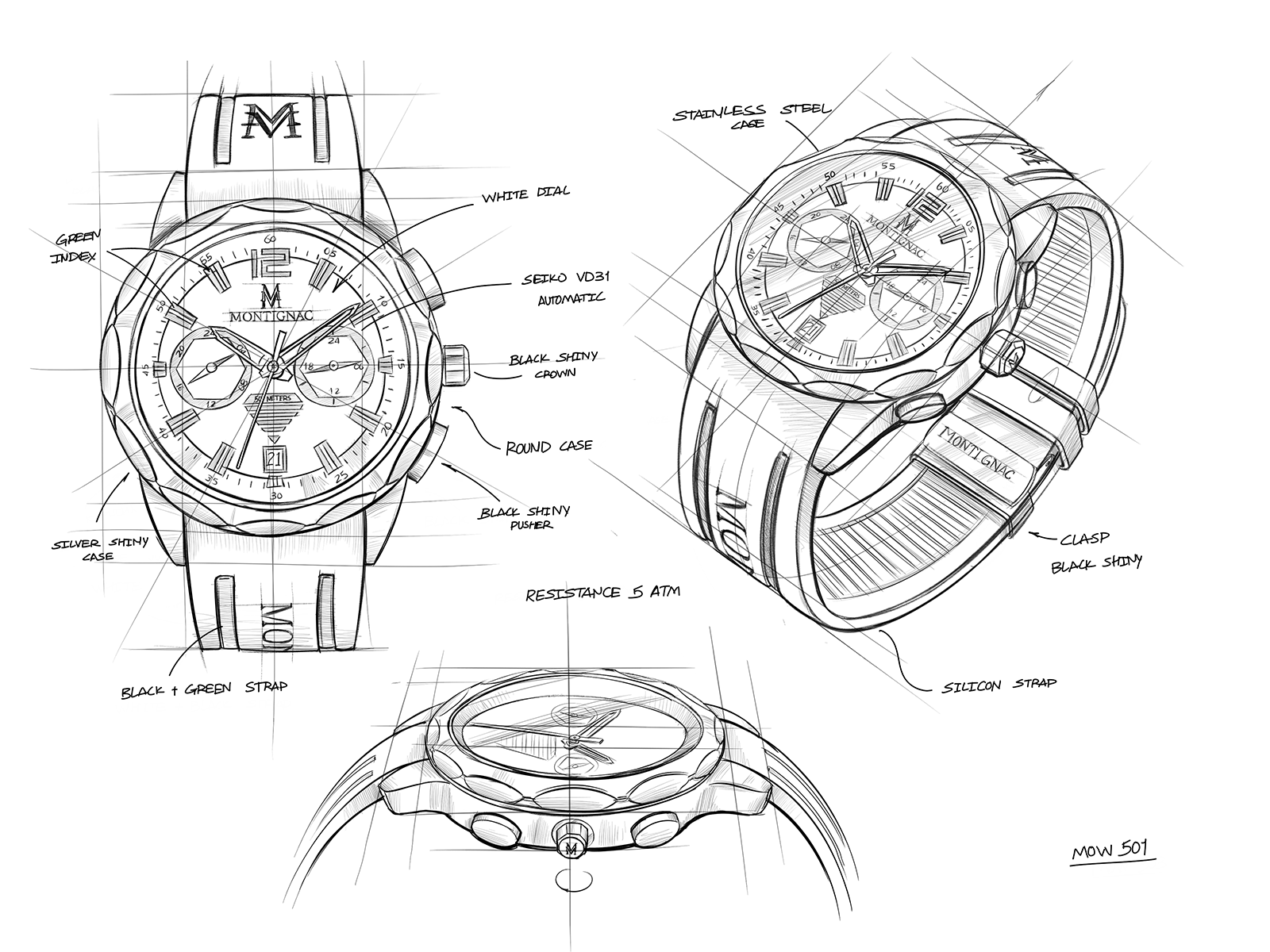
A winning combo for this racy creation that combines a silicone strap engraved with the Maison monogram, with a polished case housing a quartz date movement. Powerful, modern, all-terrain: the sporting gentleman's ally.
SEIKO VD31 – Dual Time Movement
Functions: 3 hands (hours, minutes, seconds), 24-hour hand, date, second time zone
Movement: quartz
Battery life: approximately 3 years
Display:

Crown operation :
| Crown position |
|||
| Crown | 0 : normal | 1 : first click | 2 : second click |
| Normal position | Date setting | Time and 24-hour hand setting | |
To set the second time-zone hand position:
Before setting the time, check that the second time-zone hand is at the 0 position (12 o’clock). If it is not, reset it as follows :
(1) Pull the crown out to position 2.
(2) Press and hold push-buttons A and B simultaneously for more than two seconds, then release them. The second time-zone hand moves and returns to its initial position.
(3) Press push-button A or B to reset the hand to the 0 position.
• Press push-button A to move the hand counterclockwise.
• Press push-button B to move the hand clockwise.
*The hand move quickly when the push-buttons are held down.
(4) Once the hand has returned to 0, push the crown back to position 0.
To set the local time:
After setting the second time-zone hand, set the hour and minute hands:
(1) Pull the crown out to position 2 when the seconds hand is at 12 o’clock.
(2) Turn the crown clockwise to set the hour and minute hands.
*The 24-hour hand moves in conjunction with the hour hand.
*When setting the hour hand, check that the 24-hour hand is set correctly.
*When setting the hour and minute hands, make sure the AM/PM setting is correct.
(3) Once the local time is set, push the crown back to position 0 to start the seconds hand.
To set the second time zone:
When travelling to a country or region in another time zone, you can set the second time-zone hand to the local time at your destination.
Quick setting:
a. Crown in position 0.
b. Adjust the position by pressing push-button A or B.
Push-button A: -1 hour / press
Push-button B: +1 hour / press
Precise setting:
a. Pull the crown out to position 2 when the seconds hand is at 12 o’clock.
b. Adjust the position by pressing push-button A or B.
c. Push-button A: -10 minutes / press
d. Push-button B: +10 minutes / press
e. Once the second time-zone is set, push the crown back to position 0.
To set the date:
(1) Pull the crown out to position 1.
(2) Turn the crown counterclockwise to quick-set the date.
(3) Once the date is set, push the crown back to position 0.
*Do not set the date between 9:00 p.m. and 1:00 a.m., otherwise, the date may not change correctly.


SECURED PAYMENT IN 3X WITHOUT CHARGE
offered for all orders
between 100€ and 2 000€ only in France.