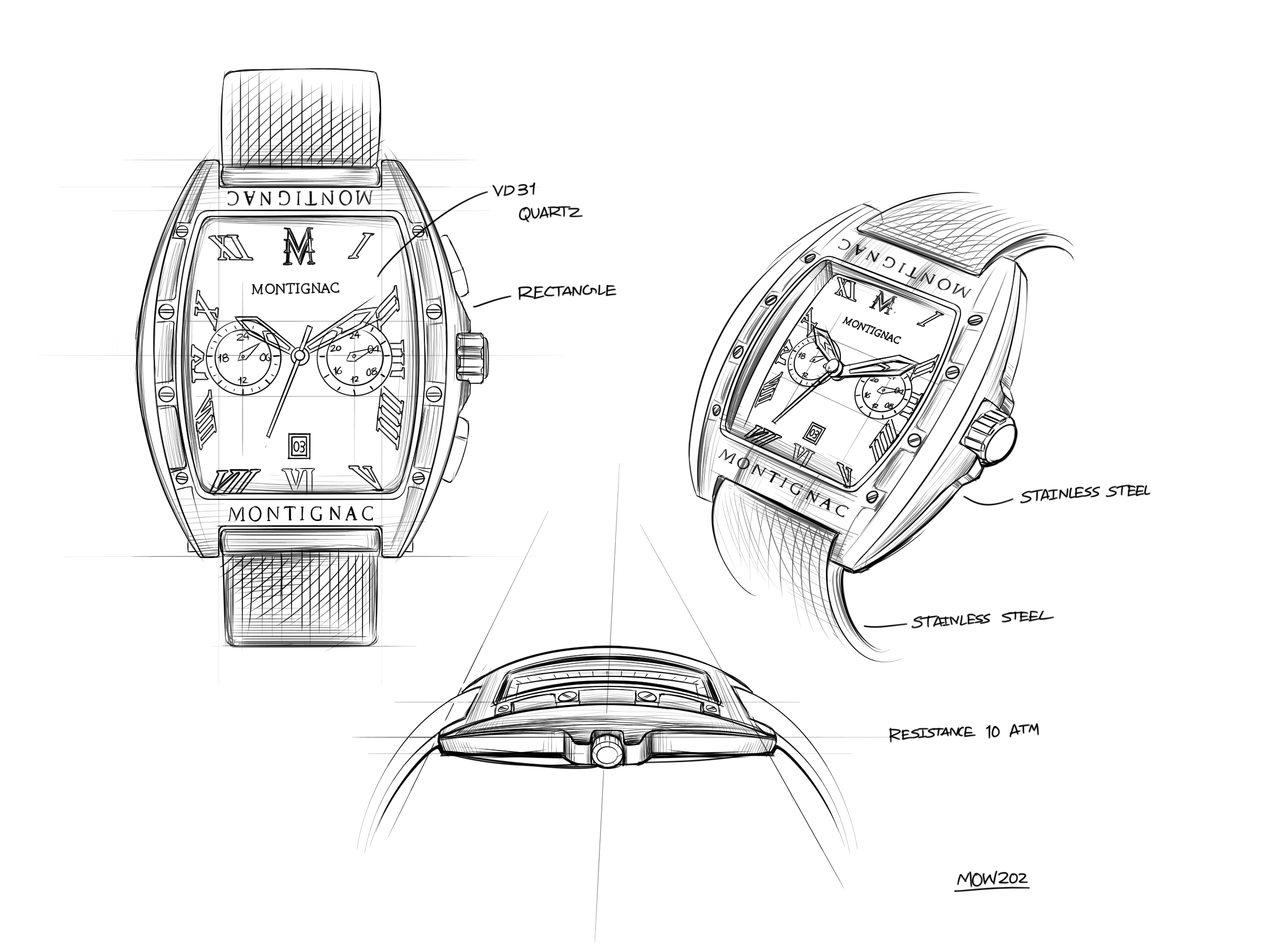




This modern yet timeless watch combines the raw purity of black with the elegant luxury of gold. Its black Milanese mesh bracelet and Tonneau 53.7*45 gold case are complemented by a black bezel. This handsome watch displays hours, minutes and seconds.
Men's watch MOW202. In addition to displaying hours, minutes and seconds, this Japanese chronograph watch, with its two gold-rimmed counters, lets you set the hours, half-hours, time of day and date. Water-resistant to 100 meters and equipped with luminescent hands, this watch is not just a jewel to liven up any outfit, it's also a solid object ready to follow you in all your follies.
Maison Montignac has rapidly become a benchmark in the world of watchmaking. Each year, we design unique models in our French workshops, all inspired by the most beautiful works of art or monuments.
This model features an aiming crown.
SEIKO VD31 – Dual Time Movement
Functions: 3 hands (hours, minutes, seconds), 24-hour hand, date, second time zone
Movement: quartz
Battery life: approximately 3 years
Display:

Crown operation :
| Crown position |
|||
| Crown | 0 : normal | 1 : first click | 2 : second click |
| Normal position | Date setting | Time and 24-hour hand setting | |
To set the second time-zone hand position:
Before setting the time, check that the second time-zone hand is at the 0 position (12 o’clock). If it is not, reset it as follows :
(1) Pull the crown out to position 2.
(2) Press and hold push-buttons A and B simultaneously for more than two seconds, then release them. The second time-zone hand moves and returns to its initial position.
(3) Press push-button A or B to reset the hand to the 0 position.
• Press push-button A to move the hand counterclockwise.
• Press push-button B to move the hand clockwise.
*The hand move quickly when the push-buttons are held down.
(4) Once the hand has returned to 0, push the crown back to position 0.
To set the local time:
After setting the second time-zone hand, set the hour and minute hands:
(1) Pull the crown out to position 2 when the seconds hand is at 12 o’clock.
(2) Turn the crown clockwise to set the hour and minute hands.
*The 24-hour hand moves in conjunction with the hour hand.
*When setting the hour hand, check that the 24-hour hand is set correctly.
*When setting the hour and minute hands, make sure the AM/PM setting is correct.
(3) Once the local time is set, push the crown back to position 0 to start the seconds hand.
To set the second time zone:
When travelling to a country or region in another time zone, you can set the second time-zone hand to the local time at your destination.
Quick setting:
a. Crown in position 0.
b. Adjust the position by pressing push-button A or B.
Push-button A: -1 hour / press
Push-button B: +1 hour / press
Precise setting:
a. Pull the crown out to position 2 when the seconds hand is at 12 o’clock.
b. Adjust the position by pressing push-button A or B.
c. Push-button A: -10 minutes / press
d. Push-button B: +10 minutes / press
e. Once the second time-zone is set, push the crown back to position 0.
To set the date:
(1) Pull the crown out to position 1.
(2) Turn the crown counterclockwise to quick-set the date.
(3) Once the date is set, push the crown back to position 0.
*Do not set the date between 9:00 p.m. and 1:00 a.m., otherwise, the date may not change correctly.


SECURED PAYMENT IN 3X WITHOUT CHARGE
offered for all orders
between 100€ and 2 000€ only in France.